Workshop · 07 June 2020
Building a new workstation
A purpose-built machine brings acquisition, telescope control and image processing under one roof.
The observatory had two computers: one in the control room and one beside the telescope, connected through Remote Desktop. When a power surge killed the better control-room machine, it was time for an upgrade.
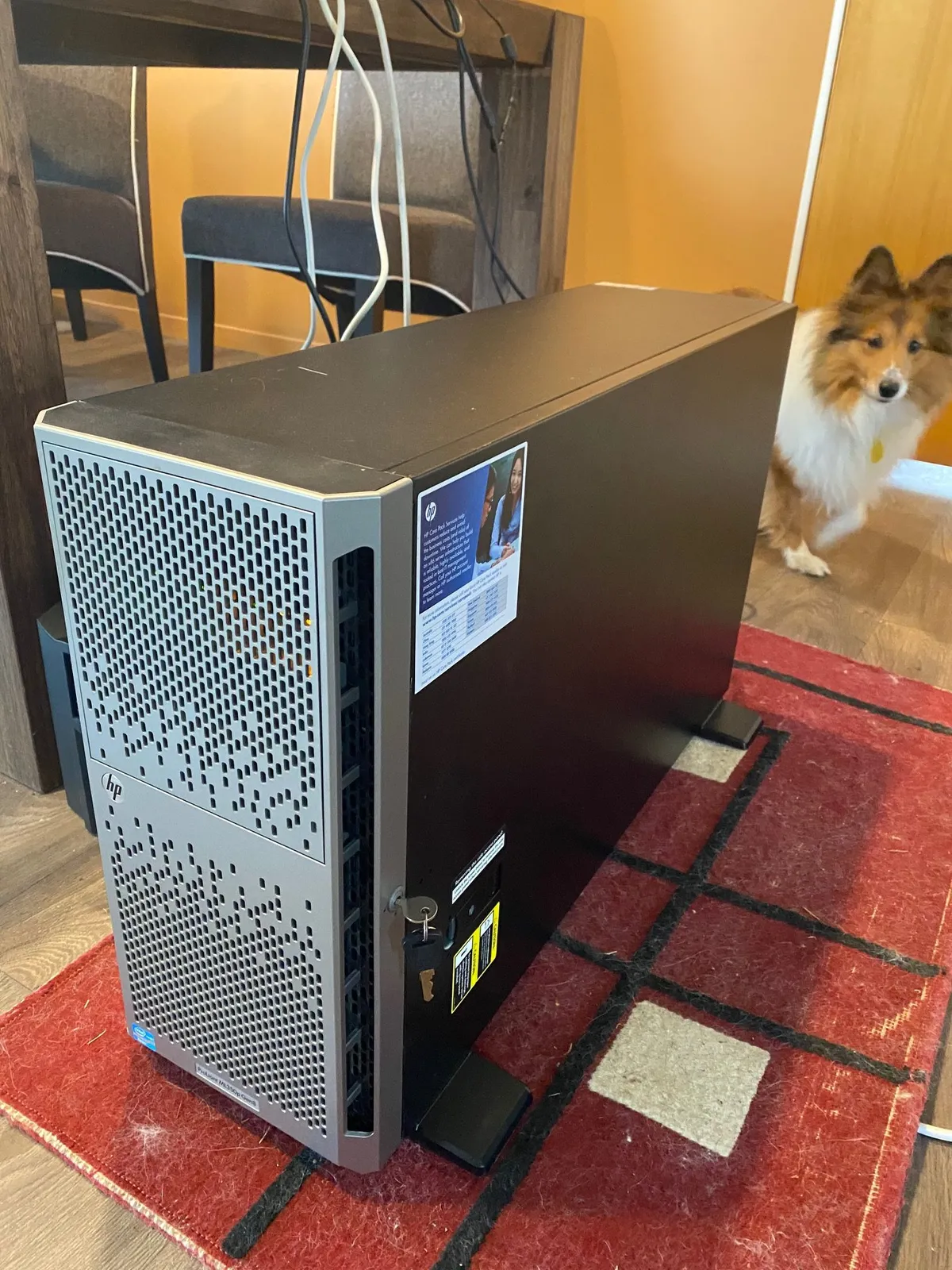
Meet Kronos, named after the Klingon homeworld. I wanted one computer to run everything and decided that, if I was going to upgrade, I might as well do it properly.
The requirements
The machine needed ECC memory for stability, enough processing power for PixInsight and redundant storage for the image archive. An old HP ProLiant ML350 Gen8 tower server was a good match: inexpensive DDR3 ECC memory, two processor sockets, redundant power supplies and hardware RAID.
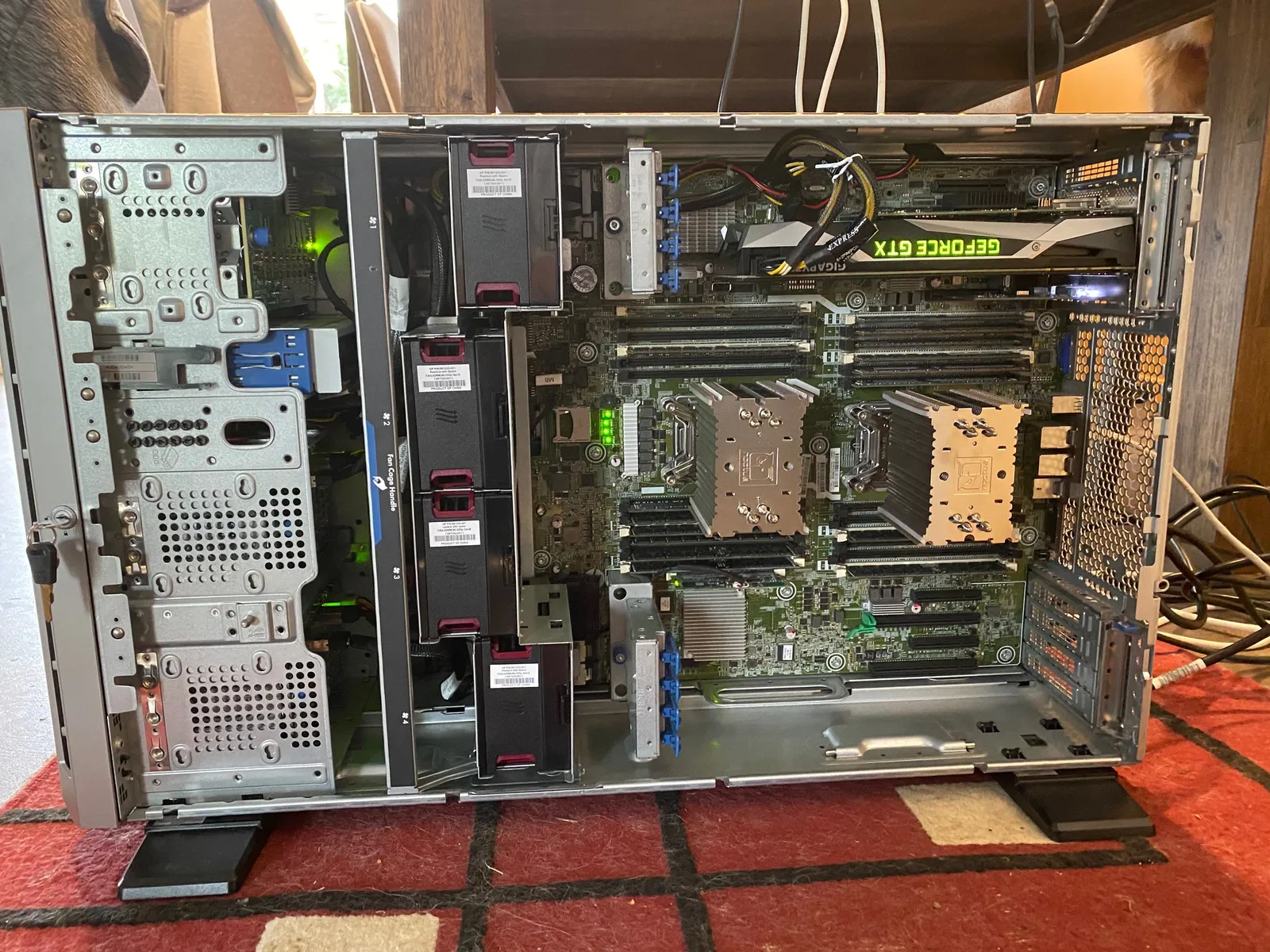
The original processors were weak, so I found two Xeon E5-2696 v2 chips on AliExpress. Each runs 12 cores and 24 threads at 2.5 GHz, giving the pair plenty of processing power for image work.
Trade Me supplied enough DDR3 ECC memory to reach 150 GB and thirteen 600 GB SAS drives to complement the three existing 1 TB disks. I collected the parts over time, waiting for sensible deals.
Graphics and power
My gaming PC, Vulcan, had two Nvidia GTX1080 cards. Because many games did not use SLI effectively, I moved one card into Kronos to accelerate Starry Night’s OpenGL graphics.
That caused flickering and Windows errors: the dual 460 W supplies could not feed a power-hungry GPU, two 125 W processors and a full drive cage. A pair of 750 W redundant supplies from Trade Me solved the problem.
Storage design
The first array is RAID 5 across three 1 TB drives for applications. The image volume uses RAID 60 across twelve 600 GB drives plus a hot spare, combining dual-drive fault tolerance with the striping performance PixInsight needs.
Windows 10 and the hardware drivers installed cleanly. The finished machine has the performance of a strong gaming rig as well as the resilience needed for observatory duty, although the server fans are not quiet.
The Samsung monitor accepts audio over HDMI and provides an audio output, so the GTX1080 also solves the ProLiant’s lack of onboard audio. With the build complete, the only job left was installing it in the observatory. Kirk out.